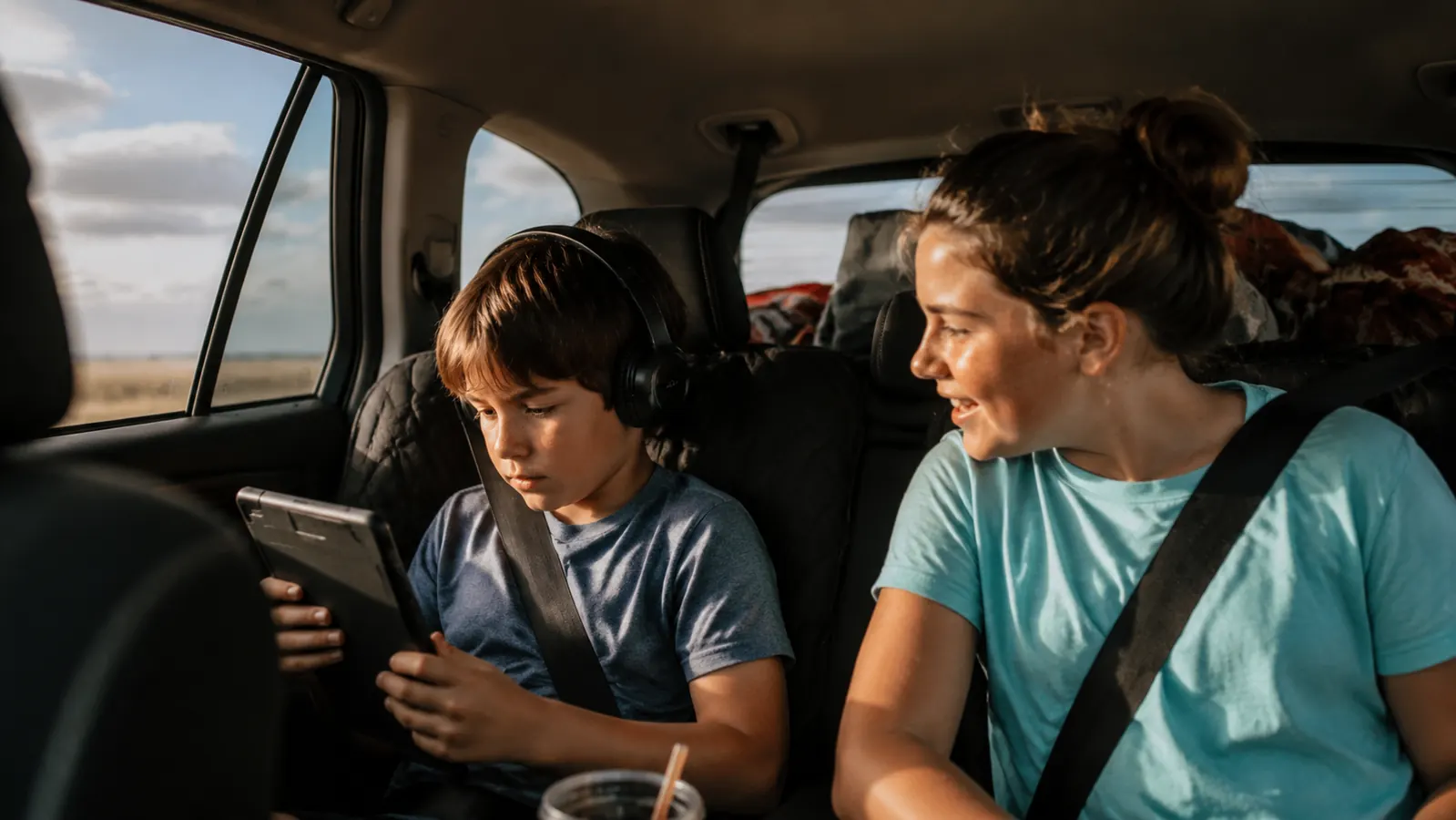
We live about four hours from my parents' farm, which means we do that drive roughly six times a year with two kids, a husband whose phone is permanently at 18 percent, and a car with exactly one USB-A port in the center console. Last summer we added a nine-hour drive to the coast into the mix. By hour three, my daughter Mara's tablet was dead, my son Eli was bargaining for my phone, and my husband was using paper directions he had printed just in case. If you have done any version of this drive, you already know exactly what I am talking about. The problem is not that devices die. The problem is not having a plan before you leave the driveway. This guide walks through the exact system I put together after that coastal disaster, including the Anker PowerCore 10K power bank that now lives permanently in my road trip bag.
None of this requires expensive gear or a fancy car. You need a car charger with at least two ports, one reliable power bank, and a charging sequence that prioritizes the right devices at the right times. That is genuinely it. Let me walk through each step.
One USB port is not a family charging strategy
The Anker PowerCore 10K is small enough to toss in a door pocket, holds enough charge to fully top off two phones, and has been the single most-used item in our road trip bag for two years straight.
Amazon Check Today's Price on Amazon →Step 1: Charge Every Device the Night Before, Not the Morning Of
This sounds obvious, but it is the step most families skip. Morning-of charging means you are unplugging devices at 80 or 90 percent, hustling kids out the door, and starting a long drive already behind. The rule in our house is simple: the night before we leave, every device goes on a charger before dinner. Phones, tablets, earbuds, Nintendo Switch, the portable speaker if we are bringing it. We have a small charging station on the kitchen counter with four cables, and everything lives there overnight.
This matters more than any other step because a device at 100 percent is significantly more forgiving than a device at 70 percent on a nine-hour drive. You also want to charge your power bank the night before. The Anker PowerCore 10K takes about three hours to fully charge via USB-C, so plugging it in after dinner gives it plenty of time. Walking out to the car with every device topped off means your car charging setup is a supplement, not a rescue operation.
Step 2: Upgrade Your Car Charger Before You Leave
The single USB-A port on most car consoles is not enough for a family of four. A dual-port car charger with USB-A and USB-C costs about ten to fifteen dollars and plugs right into your 12-volt outlet. This gives you one port for the driver's phone (often running GPS) and one for a front-seat passenger. Look for a charger rated at 18W or higher if you want any meaningful top-off speed while driving, because a cheap 5W charger will barely keep pace with a phone actively running navigation. I learned this the hard way on a drive through central Texas where Google Maps and the car's Bluetooth ate through the battery faster than our old charger could replace it.
We use a short USB-C cable for my husband's phone on the console and a longer one that reaches to the backseat for Eli's tablet during the first stretch of the drive. A six-foot cable costs about the same as a three-foot one and completely eliminates the backseat stretch-and-reach situation. The back seat charging port situation is usually the tightest bottleneck on family road trips, and a longer cable solves it without any extra hardware.
Step 3: Use the Power Bank for Backseat Devices, Not Front Seat
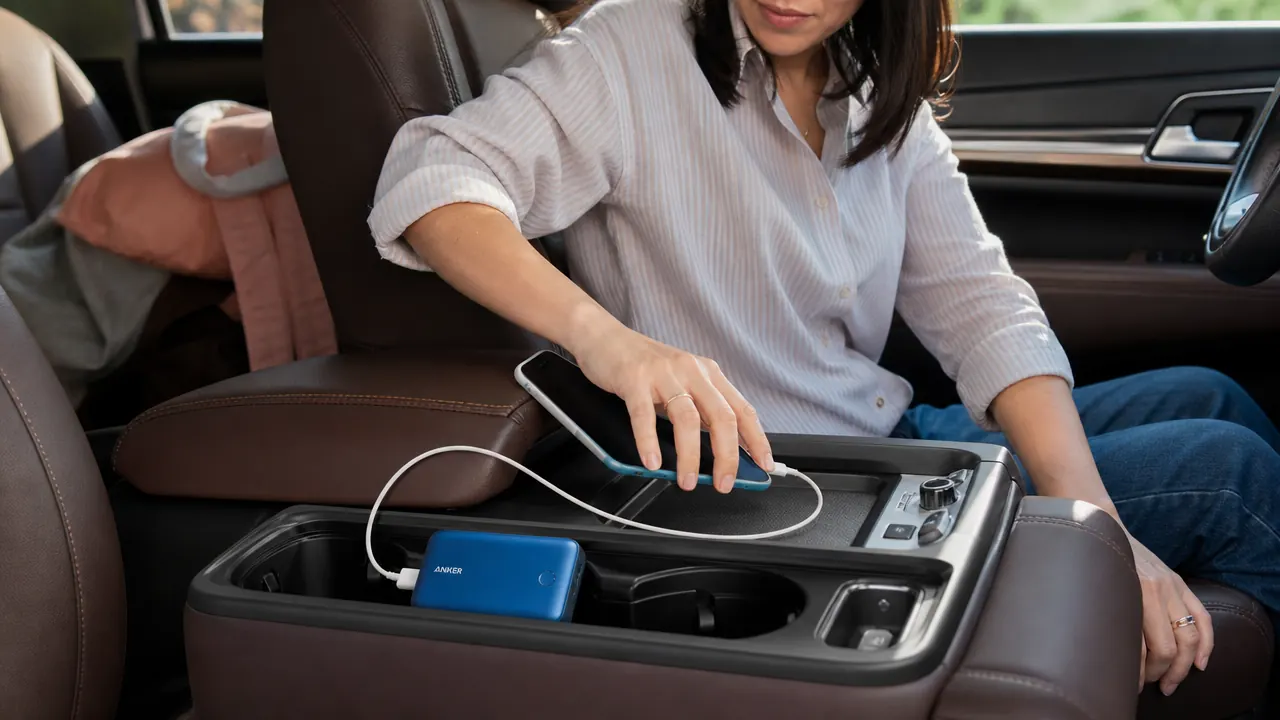
Here is the biggest mistake I see parents make: they plug the power bank into the driver's phone or keep it in the front cupholder for their own use. The power bank should almost always go to the backseat. Your car charger handles the front. The power bank handles the kids.
The Anker PowerCore 10K has a 10,000 mAh capacity, which is roughly two to three full charges for a modern smartphone. In practice that means I can top off Mara's tablet and Eli's phone once each, with battery left over. It has two output ports, so both kids can charge at the same time without fighting over the cable. The compact size, about the footprint of a deck of cards, means it sits in the backseat cupholder or gets tucked into the seat pocket without taking up any real space.
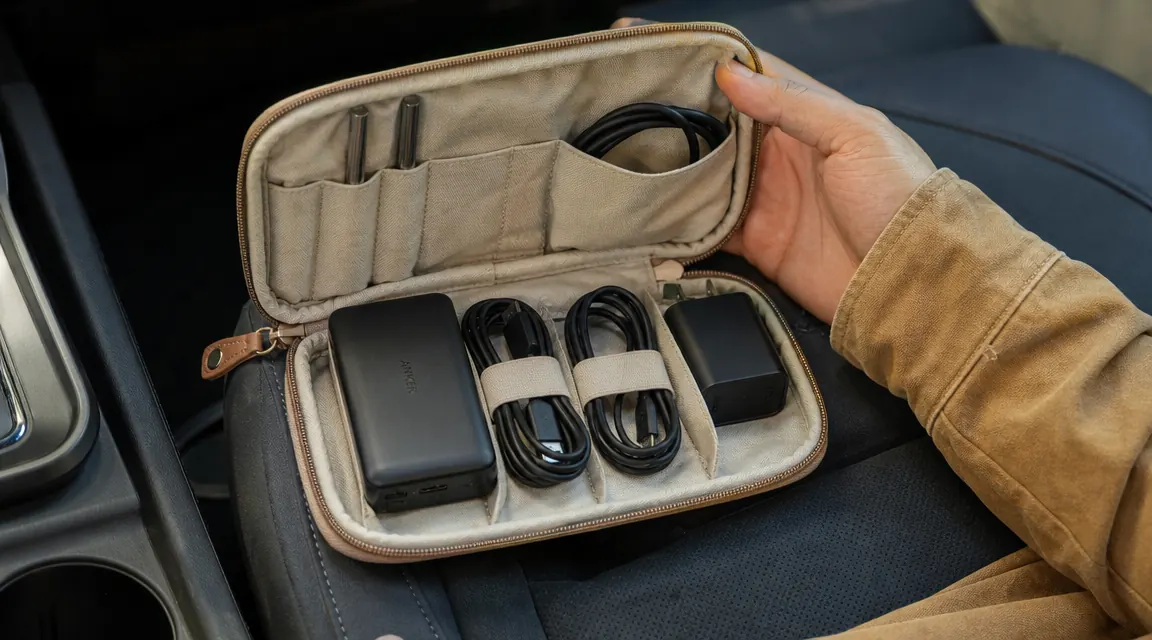
One practical tip: put the power bank in a small zipper pouch with the two cables your kids use. When someone needs it, the whole kit comes out together. No hunting for the right cable under the seat. This took us about three road trips to figure out, but it has saved a surprising amount of backseat frustration.
Step 4: Set a Charging Sequence and Stick to It
When you have four devices and two charging sources, you need a priority order. Ours goes like this. Driver's phone is always on the car charger because it is running navigation. The navigator or second adult phone shares the car charger when there is a free port, or charges via power bank during the first two hours while devices are still mostly full. Kid devices, which are usually harder to manage when they run out, get power bank access from about hour two onward when their batteries start to drop below 60 percent.
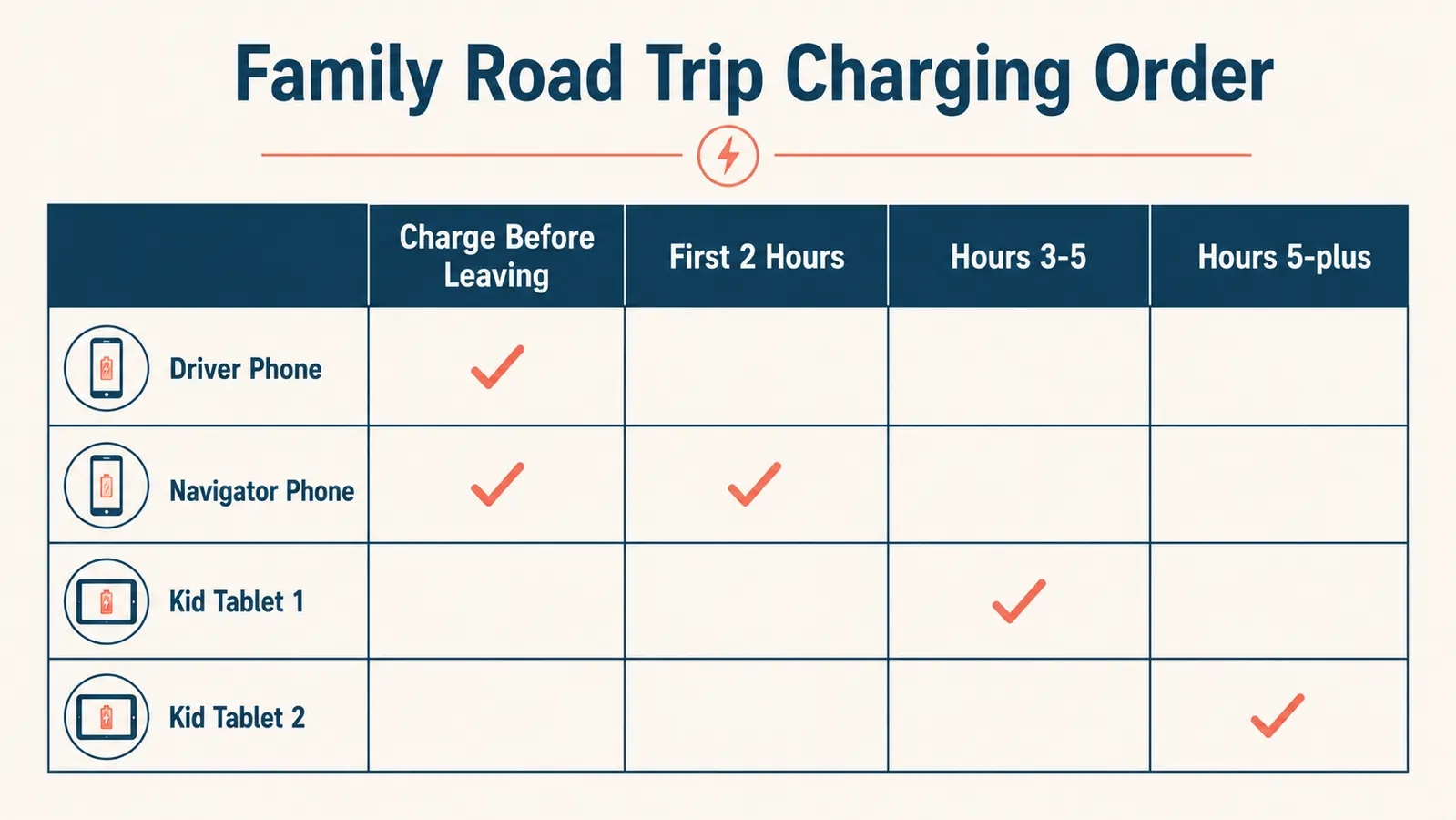
The reason for the two-hour delay is that kid devices usually start the trip at 100 percent and do not need charging right away. Waiting until they drop to around 50 to 60 percent before plugging in is more efficient and means the power bank is not depleted before you reach the halfway point. I also make it a rule that the power bank comes back to us at rest stops for a status check. If it is below 40 percent, one of our phones takes a break from the car charger to let the power bank recharge through the USB-C port. This rotating system means nothing ever hits zero.
Step 5: Download Offline Content the Night Before
Charging strategy covers hardware. Offline content covers software. Streaming video or music while driving burns through battery roughly twice as fast as playing locally stored content. On our coastal drive, both kids were streaming Netflix through a spotty cell signal in the mountains. The combination of high screen brightness, active cellular radio searching for signal, and constant video buffering drained Mara's tablet from 100 to 30 percent in about ninety minutes. That is not a charging problem. That is a usage problem, and no power bank can fully compensate for it.
The fix is simple. The night before you leave, download two or three movies to each device for offline playback. Download a playlist or album to each phone. If your kids use YouTube Kids or Spotify, both apps have an offline save feature when you subscribe. A device playing local content uses a fraction of the battery compared to one that is streaming. Combined with a solid charging setup, this single change can add an extra hour or two of worry-free screen time to any long drive.
Step 6: Pack a Backup Cable Kit
Cables fail on road trips. I do not know why this is true, but I have had charging cables mysteriously stop working at least four times on drives, always at an inconvenient moment. The standard solution is to keep a backup set in the car at all times, not just on trips. A two-pack of USB-C cables costs about eight dollars. A Lightning cable if you still have Apple devices that use it costs about the same. Keep them in the glove box year-round and they are there when you need them.
I also keep a small multi-port USB wall charger in the same bag as the power bank. When we stop at a hotel or Airbnb for the night, the power bank and all four devices charge from a single outlet with one brick. You do not need a six-plug power strip. One good multi-port charger handles everything. It also doubles as a faster charger for the power bank itself if you want it topped off before the next morning.
What Else Helps on a Long Drive
A few things that are not strictly charging-related but make a real difference. A car mount for the driver's phone keeps it visible for navigation without draining the battery through overheating on the dash. Low power mode on iPhones and battery saver mode on Android phones can extend device life by 20 to 30 percent when you are not actively using them. Turning screen brightness down one notch helps more than most people realize. Wi-Fi Calling, if your carrier supports it, uses less battery than LTE in areas with weak cell signal. And if you have kids who fall asleep mid-drive, their devices are good candidates to unplug and let the power bank rest for a while.
The other thing that genuinely helps is talking through the charging plan with your kids before you leave. My kids both know that devices go on the power bank when they hit 50 percent, not when they are at 10 percent in a panic. Mara is nine and she manages her own tablet charging now. She knows where the cables are, how to read the LED indicator on the power bank, and what to do at rest stops. That conversation took about three minutes and has prevented a lot of backseat drama. Kids are capable of more device responsibility than we give them credit for, especially when the stakes are their own entertainment.
The power bank is not backup gear. It is the primary charging source for every device that does not have a car charger port. The moment we started treating it that way, the frantic low-battery scrambles stopped.
If you want to go deeper on what a portable charger can do beyond road trips, the article 10 Situations Where a Portable Charger Saves Your Whole Trip covers a lot of scenarios I did not have room for here, including airports, outdoor events, and camping. And if you are weighing whether the Anker PowerCore 10K specifically is the right power bank for your family, the full Anker PowerCore 10K review gets into capacity, charge speed, and how it compares to other options at similar price points.
Walk into every rest stop knowing every device is under control
The Anker PowerCore 10K is compact enough for a purse or door pocket, charges two devices at once, and has enough capacity for a full day of family driving. It is the piece of gear that made our road trips noticeably less stressful.
Amazon Check Today's Price on Amazon →